
What is Grok AI?
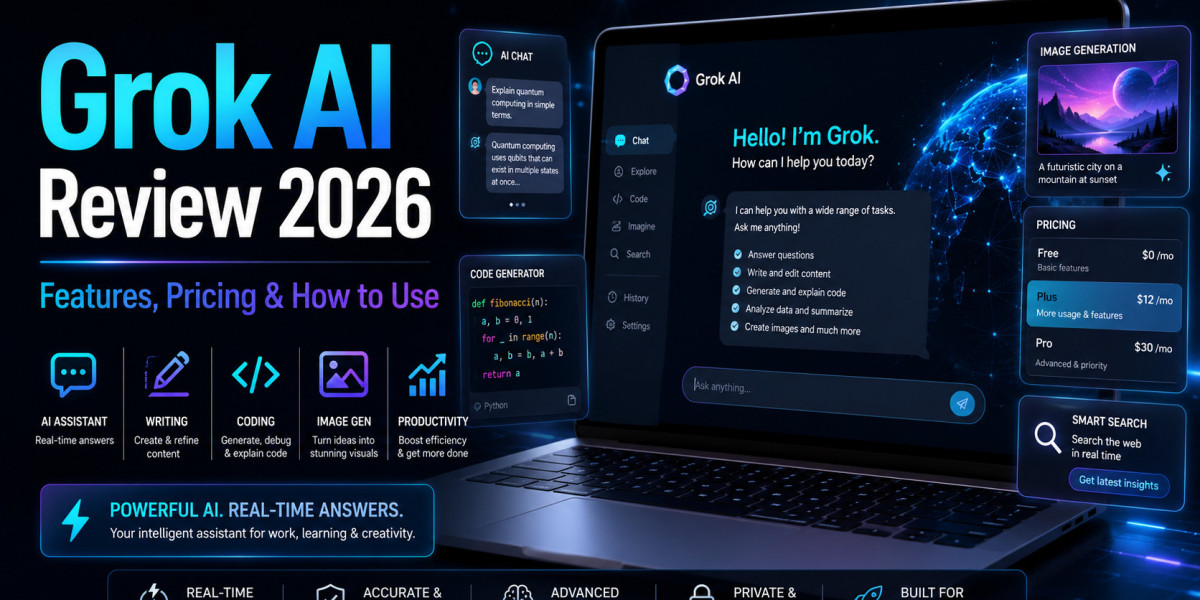
Grok AI is an artificial intelligence chatbot created by xAI. It is designed to answer questions, write content, help with coding, explain complex topics, generate ideas, understand images, and provide real-time information from the web and X. xAI describes Grok as a “truth-seeking AI chatbot” with text, voice, image and video capabilities.
In simple words, Grok AI is built for people who want a fast, conversational AI assistant that can handle everyday tasks as well as more advanced work. It is especially popular because of its connection with X, formerly Twitter, and its ability to work with current information.
Unlike many traditional chatbots, Grok AI has a more direct and casual tone. This makes it feel less like a formal helpdesk and more like an internet-native assistant for research, writing, coding, brainstorming and creative work.
Grok AI Key Features
1. Real-Time Search
One of the biggest strengths of Grok AI is real-time search. It can help users understand current topics, trends, breaking updates and public discussions. This is useful for creators, researchers, marketers and business users who need fresh information.
For example, if you are writing about a recent technology update, Grok AI can help you explore current conversations and summarise what people are discussing.
2. Writing and Content Creation
Grok AI can help write blog outlines, social media posts, emails, captions, product descriptions, scripts and summaries. It is useful for creators who want quick drafts but still want to edit the final content manually.
The best way to use it is to provide a clear prompt. Instead of saying “write a blog”, mention the topic, audience, tone, word count and structure.
3. Coding Help
Grok AI can assist with coding tasks, debugging, code explanations and technical problem-solving. Developers can use it to understand errors, generate small code snippets or explain programming concepts in simple language.
It should not replace proper testing, but it can speed up learning and troubleshooting.
4. Image and Video Capabilities
xAI says Grok supports image and video generation as part of its creative capabilities. It can also help users understand and work with visual content, depending on access and plan availability.
This makes Grok AI useful for creators who want more than text-based answers.
5. Voice Chat
Grok also supports voice-based interaction. According to xAI, users can chat with Grok through text or voice, making it more flexible for people who prefer speaking instead of typing.
Grok AI Pricing in 2026
Grok AI access depends on where and how you use it. Users can access Grok through Grok.com, X, mobile apps and xAI’s API ecosystem. Grok.com describes it as an AI assistant for chatting, creating images, writing code and getting real-time answers from the web and X.
For developers, xAI’s official pricing page lists Grok API pricing. As of the latest official model pricing page, Grok 4.3 is shown with a 1 million token context window, with input pricing at $1.25 per 1 million tokens and output pricing at $2.50 per 1 million tokens.
For business users, xAI lists Grok Business at $30 per month per user, with team collaboration, connectors, role-based access control, increased rate limits and other business features.
Pricing can change, so users should always check the official Grok or xAI pricing page before subscribing.
How to Use Grok AI
Using Grok AI is simple:
- Visit Grok.com or open Grok through X
- Sign in with your account
- Choose the available Grok model or plan
- Type your question or task
- Add context, tone and format requirements
- Review the answer
- Edit, verify and improve the final output
For better results, use detailed prompts. For example:
“Explain Grok AI in simple English for beginners. Include features, pricing, benefits and limitations in a blog-style format.”
This type of prompt gives Grok AI a clear direction and improves the quality of the answer.
Pros and Cons of Grok AI
Pros
- Useful for real-time information
- Good for writing, research and coding
- Supports text, voice, image and video workflows
- Integrated with X and web-based information
- Helpful for creators, developers and businesses
Cons
- Some features may depend on the plan
- Pricing and access can change
- Real-time answers still need fact-checking
- Not every output is ready to publish
- Users should review sensitive or technical content carefully
Is Grok AI Worth Using in 2026?
Yes, Grok AI is worth trying in 2026 if you want an AI assistant for real-time answers, content creation, coding, research, image-related tasks and everyday productivity. It is especially useful for users who already use X or want an AI chatbot with fresh web-connected information.
However, Grok AI is not perfect. Like any AI tools, it can make mistakes, misunderstand prompts or give answers that need editing. The best approach is to use it as a smart assistant, not as a final decision-maker.
FAQs About Grok AI
1. What is Grok AI?
Grok AI is an AI chatbot developed by xAI. It helps users with real-time answers, writing, coding, research, image-related tasks, brainstorming and creative work. It is also connected with X, which makes it useful for users who want fresh and current information.
2. Is Grok AI free to use?
Grok AI may offer different access options depending on the platform, plan and region. Some features may be available through X or Grok.com, while advanced access can require a paid plan. Users should check the official Grok or xAI pricing page for the latest details.
3. How do I use Grok AI?
To use Grok AI, visit Grok.com or access it through X, sign in, type your question or task, and give clear instructions. For better results, mention the topic, tone, format, audience and expected output before asking Grok to generate a response.
4. Can Grok AI help with content writing?
Yes, Grok AI can help with blog outlines, social media captions, emails, summaries, scripts, product descriptions and content ideas. However, users should always edit the final output to make it more accurate, original, natural and suitable for their audience.
5. Can Grok AI generate images?
Yes, Grok AI supports image-related features depending on access and availability. Users can use it for creative visual ideas, image generation and image-based tasks. However, results may vary, so it is better to review and refine the output before using it publicly.
6. Is Grok AI better than ChatGPT?
Grok AI and ChatGPT are both powerful AI assistants, but they are useful in different ways. Grok AI is popular for real-time information and X-connected updates, while ChatGPT is widely used for writing, research, coding, analysis and general productivity. The better option depends on your use case.
7. Is Grok AI worth using in 2026?
Yes, Grok AI is worth trying in 2026 if you need real-time answers, writing support, coding help, research assistance and creative AI features. It is especially useful for users who want a fast AI chatbot connected with current online information.
Final Verdict
Grok AI is a powerful AI chatbot for users who need fast answers, writing help, coding support, real-time research and creative assistance. If you use it with clear prompts and verify important information, Grok AI can become a useful productivity tool in 2026.